AIDP
Putting Oracle AIDP Compute on a Schedule
A live sandbox test shows how Oracle AIDP compute can start and stop on a schedule using an API signing key, without browser sign-in for each run.
A tested way to start and stop compute automatically, without signing in for each scheduled run.
A development session ends. The notebook is closed, but the compute cluster may still be running. The next morning, someone needs to start it again before work can begin.
For teams using Oracle AI Data Platform (AIDP) on a predictable timetable, those small tasks are candidates for automation. A schedule could request startup before a development session and shutdown after the agreed working window, reducing unnecessary running time and the need to remember a manual step.
The practical question is whether that process can run without someone opening a browser to sign in.
A live sandbox test showed that it can. A timed job on a Mac used an OCI API signing key to start an existing AIDP compute cluster, wait for completion, stop it and confirm that it was stopped. Once setup was complete, the job needed no browser login or interactive input.
The missing start button
The investigation began in Oracle's cluster API documentation. Stop and restart were easy to find; starting a stopped cluster was less obvious.
The start operation exists. Together with the stop operation, it provides the building blocks for controlling an existing cluster from a script.
That opens up useful possibilities: a sandbox available during working hours, compute started ahead of a planned demonstration, or a development environment stopped at the end of a session. The appropriate schedule depends on when people and workloads actually need the cluster.
Authentication was the important part
The first start-and-stop test worked with a browser-authenticated session. It proved that the cluster could be controlled through the API, but it left a dependency on a human login when a new session was needed.
The next test used an OCI API signing key. This is a credential registered to an OCI user. The command-line tool uses the matching private key to sign requests automatically, with the permissions granted to that user. Oracle documents this approach in its API signing key guide.
There is still a one-time setup: install the tools, register the key, confirm permissions and configure the target cluster. After that, scheduled runs can authenticate without opening a browser. Credentials still need to be protected and maintained; a scheduled run does not renew a browser session.
The sandbox validation used an existing user's API key. A team deployment should choose an appropriate automation identity and arrange access with the administrator.
What happened in the scheduled test
On 10 October 2026, the macOS scheduler triggered a temporary job against a sandbox AIDP instance. The cluster began stopped. The job checked its identity and state, started it, waited until it was active, then stopped it and checked again.
| Scheduled action | Confirmed result | Observed time |
|---|---|---|
| Start | Cluster active; operation succeeded | About 74 seconds |
| Stop | Cluster stopped; operation succeeded | About 3 minutes 17 seconds |
These are observations from one run, rather than guaranteed timings. A schedule needs to allow enough lead time for compute to become available.
The temporary job completed without further intervention and was removed afterward. No permanent recurring schedule was installed.
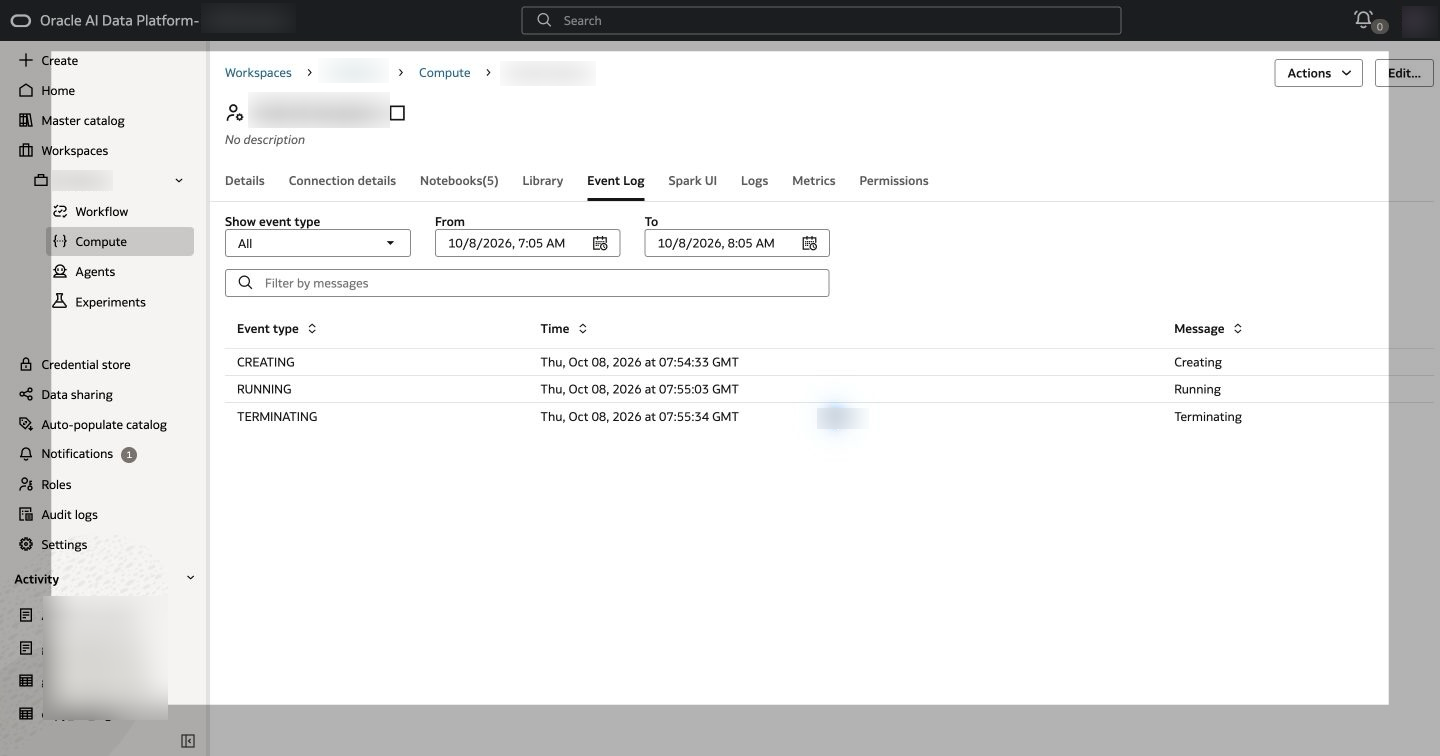
The Workbench event log shows the lifecycle changes from the original API test. This screenshot predates the API-key scheduler test.
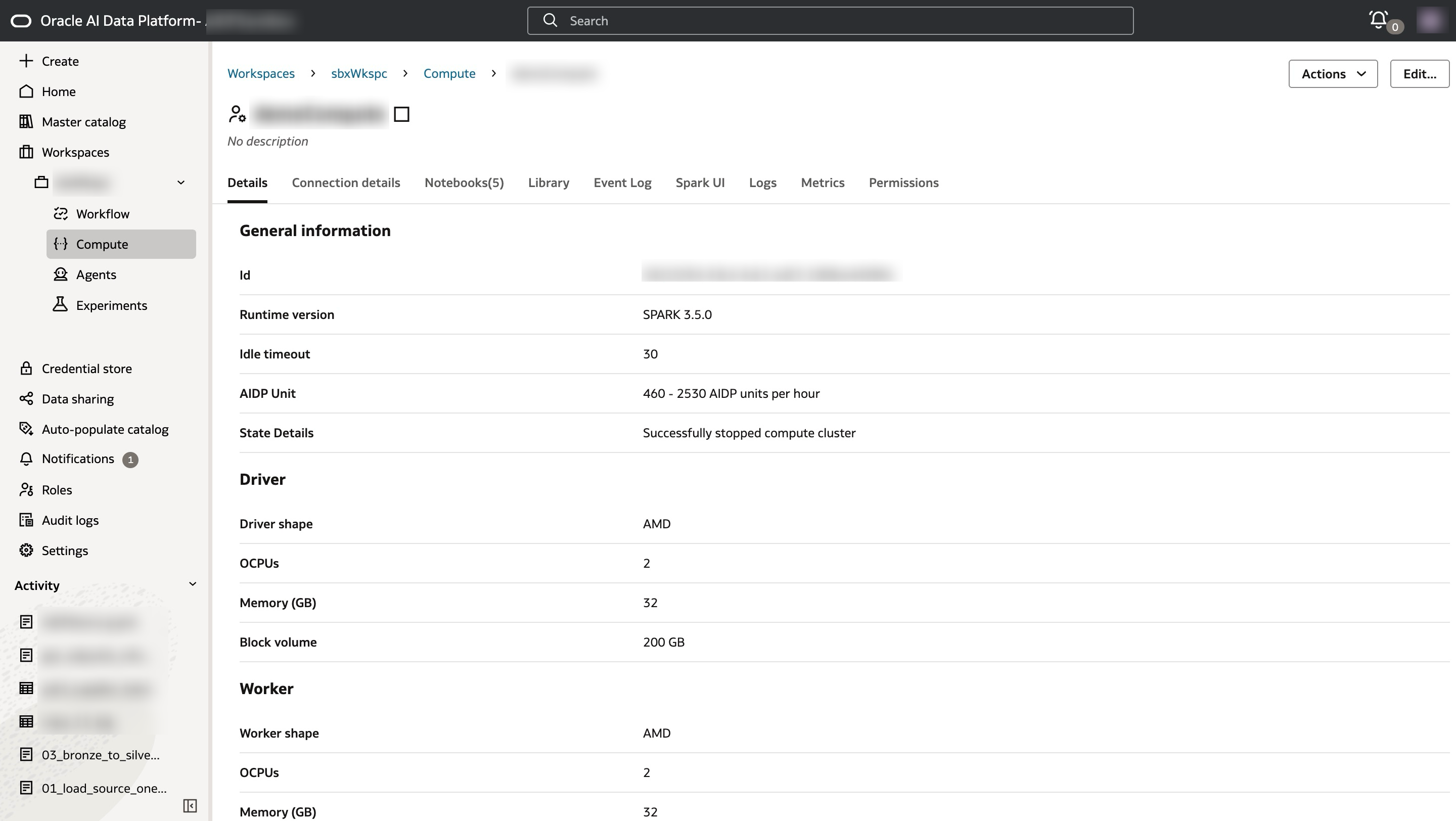
The original test finished with the cluster stopped. The later scheduled test also confirmed the stopped state through the API.
The process behind the schedule
The tested process followed three steps: check the intended cluster, request the state change, then wait for confirmation that it completed successfully.
Those checks matter because an accepted request does not mean startup or shutdown has finished. The script also recorded the result and checked the expected cluster name before making a change. A failed run produced an error and a report for investigation; it did not automatically undo an incomplete change.
A weekday schedule could request startup at 08:00 and shutdown at 18:00, adjusted to the team's working hours and workload. That recurring pattern remains a deployment example; the live validation used the temporary Mac job described above.
The setup behind the test
The test used two separate Python environments: one for OCI CLI and another for Oracle's AIDP CLI. Keeping them separate allowed each tool to use the dependency versions it needed. The scheduler also needed explicit paths to its tools and credentials, rather than relying on an open Terminal session.
For readers implementing this process, the path is: install the selected CLI, configure the API-key profile and permissions, check the target with a read-only command, validate a complete start-and-stop cycle on an idle sandbox, then configure and test the scheduler on the intended host.
OCI CLI or AIDP CLI?
The scheduled workflow used OCI CLI. Oracle also provides an AIDP CLI with named commands such as aidp cluster start and aidp cluster stop. A separate live test successfully used those commands with the same API-key profile.
The AIDP CLI alternative was tested by direct invocation, with no interactive input. It has not yet been tested through the scheduler; the tested scheduled process used OCI CLI.
The result is a tested foundation for removing a routine manual task: start compute when needed, wait for it to be ready, and stop it when finished. The validation covers authentication and cluster control on the tested Mac. Spark workload execution, long-term recurring operation and billing savings would need separate measurement.
If there is interest, a follow-up deep dive can cover the installation, API-key setup, commands and scheduling steps in detail.